
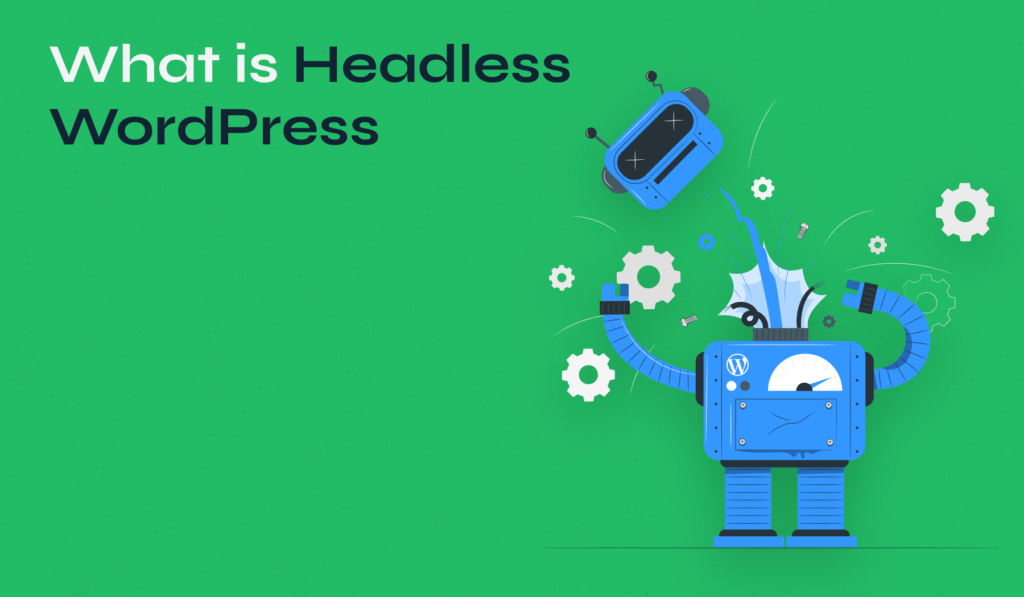
The Comprehensive Guide to Headless WordPress: Why It Matters & How to Use It
Introduction
In the modern digital landscape, websites demand more than just static content: they need performance, security, and flexibility. For many developers and content strategists, Headless WordPress has emerged as a powerful architectural pattern that addresses these demands. By decoupling WordPress’s traditional roles — separating content management from frontend rendering — headless WordPress lets you leverage WordPress’s mature CMS capabilities while building the user-facing experience using modern frontend technologies.
This architecture unlocks significant benefits: faster load times, better scalability, improved security, and omnichannel content delivery. At the same time, it introduces complexities around development workflows, hosting, preview, and SEO. In this guide, we will walk through:
- What Headless WordPress means
- Different architectural models
- Key benefits and trade‑offs
- Implementation strategies
- Real-world use cases
- SEO and performance considerations
- Challenges and best practices
- Future directions
What Exactly Is Headless WordPress?
Headless WordPress refers to a setup where WordPress acts purely as a content backend (a CMS), while the frontend (what users see) is built with a separate technology stack. In this model:
- WordPress remains the place where content objects (posts, pages, media, custom fields) are created, edited, and stored. You continue to use the familiar WP admin UI. (Aapta Blog)
- Rather than using WordPress themes and PHP templates to render HTML on the server, the content is exposed through an API — typically the WordPress REST API or GraphQL (via WPGraphQL). (Code Canel)
- A separate frontend (using frameworks like Next.js, Gatsby, Nuxt, Vue, React, etc.) consumes this content and renders pages. (Atto WP)
Because the frontend is decoupled, you gain full freedom to design UI/UX without being constrained by WordPress theme limitations. At the same time, your content is managed within WordPress, offering a stable, battle-tested CMS environment.
Architectural Models for Headless WordPress
When designing a headless WordPress project, there are a few different architectural approaches to consider. Each model offers different trade‑offs in terms of performance, development cost, and complexity.
- Fully Decoupled / Pure Headless
In this model, WordPress is only the content source. The frontend is completely independent, communicating via API (GraphQL or REST) to fetch content. All rendering is done on the frontend side using a modern JavaScript framework. This model offers maximum flexibility and performance but requires more development work. (Code Canel) - Hybrid Decoupled
Here, only some parts of the site are headless. You might retain WordPress-rendered sections (e.g., blog or marketing pages) and use a decoupled frontend for other parts. This hybrid model lets you gradually migrate to headless or mix the best of both worlds. (Aapta Blog) - JAMstack / Static‑First Headless
Using a Static Site Generator (SSG) like Gatsby or Next.js (in static mode), you pre-render pages at build time. These static files are then served over a CDN, resulting in extremely fast delivery. API calls (for dynamic content) can be handled at runtime or via incremental builds. (MostDomain)
Each model offers a different balance: pure headless gives maximum modularity, hybrid offers lower risk and incremental adoption, and JAMstack-focused setups maximize performance and scalability.
Key Benefits of Headless WordPress
Performance & Speed
Arguably the most compelling reason to go headless is performance. Because the frontend is decoupled, you can leverage SSG or Server-Side Rendering (SSR) in frameworks like Next.js or Gatsby, generating either static HTML or highly optimized server-rendered pages. (GigaPress) These pages can be cached on CDNs around the world, dramatically reducing latency for users.
Additionally, since your frontend only fetches the data it needs through APIs, you avoid sending unnecessary payloads. This lean data fetching combined with optimizations like lazy loading, code-splitting, and deferred scripts leads to smaller bundle sizes and faster user experiences. (GigaPress)
Another advantage: the WordPress backend is less burdened. In a headless setup, WordPress no longer needs to render pages per request; it only serves content via API, which isolates it from high traffic spikes. (GigaPress)
Scalability
A headless WordPress architecture inherently scales better. When the frontend is static or pre-rendered, you can serve content to a large number of users via CDNs without overloading your WordPress server. (MostDomain) Moreover, you can scale the API layer (and backend) independently of your frontend, giving you more control over resource allocation. (GigaPress)
Security
Decoupling the frontend from WordPress significantly reduces the attack surface. Since users don’t directly interact with the WordPress PHP layer or database via the frontend, many typical security vectors (e.g., plugin vulnerabilities, PHP exploits) are mitigated. (Aapta Blog)
Furthermore, in a JAMstack setup, you can serve only static assets, eliminating server-side code execution on the public-facing site. (Codi) By securing API endpoints (e.g., authentication, rate-limiting) and controlling access, you further protect your site. (AIS Technolabs)
Developer Experience
One of the biggest long-term wins is for developers. With headless WordPress:
- Frontend teams can use modern development tooling (Webpack, Vite, esbuild) and frameworks (React, Vue, etc.) without being constrained by PHP or WordPress templating. (Aapta Blog)
- Backend/content teams still benefit from WordPress’s UI for content creation, revisions, media management, and more.
- You can set up clean CI/CD pipelines: build your frontend when content changes (via webhooks), run tests, and deploy to platforms like Vercel or Netlify. (AIS Technolabs)
- Because concerns are separated, it’s easier to maintain and update either layer without breaking the other.
Omnichannel & Future-Proof Content Delivery
Headless WordPress shines in contexts where content must serve more than one platform. Since content is exposed via API, you can reuse it in mobile apps, digital signage, IoT devices, and more — all from a centralized CMS. (Aapta Blog)
This setup also future-proofs your infrastructure: if you ever decide to rewrite the frontend in a new framework, you can do so without touching your WordPress backend data model. (Aapta Blog)
Implementation Strategy: Building a Headless WordPress
Moving to a headless architecture involves some planning and decisions. Here’s a strategic roadmap:
1. Backend Setup & APIs
Choose how to expose your content. The WordPress REST API is built-in and easy to use; alternatively, for more powerful and flexible querying, you can use WPGraphQL. (Code Canel)
When using GraphQL, define your schema to expose only the content types, taxonomies, and fields your frontend genuinely needs. This keeps your API lean and efficient.
For security, limit public API access to only the needed endpoints. Protect private or sensitive data with authentication tokens and use rate limiting. (AIS Technolabs)
2. Choosing a Frontend Framework & Rendering Strategy
Pick a frontend technology based on your needs:
- Static Site Generation (SSG): Tools like Gatsby or Next.js (in static export mode) let you pre-build your site during the build step. Ideal for content-heavy sites with relatively infrequent updates.
- Server-Side Rendering (SSR): If you need more dynamic rendering or personalization, SSR frameworks like Next.js (in SSR mode) or Nuxt.js are great.
- Hybrid / Incremental Builds: Next.js, for instance, supports Incremental Static Regeneration (ISR), which rebuilds pages on demand as content changes.
3. Deployment & Hosting
Host your WordPress backend in a stable, managed environment (e.g., Kinsta, DigitalOcean) or self-hosted server. Your API layer should be reliable and secured. (Aapta Blog)
Deploy the frontend using platforms optimized for JavaScript frameworks, such as Vercel, Netlify, or any CDN-supported hosting. Serve the built assets with a CDN to maximize global performance.
Set up a CI/CD pipeline to:
- Trigger builds on content changes (via webhooks)
- Run tests (linting, unit, integration)
- Deploy automatically
4. Content Modeling & Workflow
When building a headless WordPress CMS, design your content model carefully. Use WordPress Custom Post Types (CPT), custom fields (e.g., ACF), and taxonomies to structure your content in a reusable way. (Medium)
Limit your API exposure to only the necessary fields. Overexposing data can lead to performance issues and bloated JSON responses.
For previewing content drafts, you’ll need a custom solution: your frontend must fetch draft content (e.g., via preview tokens or draft endpoints) and render it in a preview mode. Many teams build draft preview systems using preview API routes, which allow editors to see their content before publishing.
5. Security & Maintenance
Security is a primary concern in a decoupled setup:
- Use HTTPS everywhere — both for your API and frontend.
- Lock down WordPress admin (wp-admin) behind firewall, SSO, or IP restrictions. (AIS Technolabs)
- Use authentication (JWT or OAuth) for API routes that expose sensitive data.
- Regularly patch WordPress core, plugins, and your frontend dependencies.
- Periodically audit your API responses and access logs.
6. Monitoring & Performance
Use performance monitoring tools like Google PageSpeed Insights or Lighthouse to evaluate how your headless setup performs. Pay attention to:
- Build times (for SSG)
- API response times
- CDN performance
- Resource usage on the backend
Implement caching strategies such as:
- API-level cache (e.g., Redis, in-memory)
- CDN caching of built HTML
- Stale-while-revalidate or other smart cache invalidation for content updates (AIS Technolabs)
Real‑World Use Cases & Adoption Scenarios
Headless WordPress is not just a theoretical architecture — many organizations and developers have adopted it for its real-world benefits.
- High‑Traffic Enterprise Sites
Businesses handling significant traffic benefit from static or pre-rendered frontends. Scaling becomes more predictable because the static site layer (or CDN) handles user load, while WordPress backend focuses on content management. (Atto WP) - SaaS & Omnichannel Platforms
When building web apps, mobile apps, or even digital signage, content stored in WordPress can be reused through the API. This provides a single source of truth for diverse channels. (Aapta Blog) - Interactive / Highly Dynamic Frontends
For web applications that require custom UI, advanced interactivity, and real-time data fetching, decoupling allows frontend teams to use React, Vue, or Angular freely. (Atto WP) - Security-Sensitive Projects
Projects that demand high security (e.g., financial institutions, healthcare) benefit from reducing the exposed surface area of WordPress and isolating the backend via API. (Codi) - Content-Driven Marketing Sites
Companies with content-heavy sites leverage SSG to pre-build marketing pages or blog articles that load extremely fast, improving SEO and user experience. (touchstonedigital.com)
SEO & Performance Considerations
Implementing a headless architecture introduces SEO considerations that require careful planning:
- Rendering for SEO: If you use a JavaScript frontend, ensure you implement SSR or SSG, so search engines can crawl fully rendered HTML. (Atto WP)
- Metadata Handling: Titles, meta descriptions, Open Graph tags, canonical URLs, and structured data must be exposed from WordPress via API and injected into your frontend.
- Sitemap & RSS: Without WordPress-provided page rendering, you may need to build these on the frontend or generate them during build.
- Performance as SEO Factor: Faster performance (via reduced LCP, smaller payloads, CDN delivery) positively impacts Core Web Vitals, which in turn influences SEO. (GigaPress)
Challenges & Trade‑offs
While headless WordPress provides many benefits, it also comes with trade‑offs that should not be ignored.
- Increased Complexity
Managing two separate stacks (frontend + backend) is inherently more complex than working with a traditional monolithic WordPress site. Teams must coordinate API schema, deployment, and content preview workflows. (Aapta Blog) - Higher Development Cost
You’ll often need experienced frontend developers who understand JavaScript frameworks and build tooling. The initial implementation (API, frontend, CI/CD) can be more expensive than a traditional WordPress site. (GigaPress) - Plugin Compatibility
Some WordPress plugins rely on theme-based rendering, shortcodes, or PHP templating — these won’t work directly in a decoupled context. You may need to expose data via API manually or find headless-friendly plugins. (Atto WP) - Content Preview Limitations
By default, WordPress’s preview feature may not integrate cleanly with a decoupled frontend. Building a reliable preview system requires custom setup, such as preview tokens or custom draft-fetching endpoints. (Aapta Blog) - Maintenance Overhead
Two codebases mean double the updates, testing, and deployment complexity. API breaking changes, dependency upgrades, or infrastructure updates require careful coordination. - SEO Risks if Misconfigured
If SEO-critical data (metadata, canonical URLs) is not properly handled, you may lose search visibility. Similarly, poor caching or build configuration can harm performance.
Best Practices & Recommendations
To maximize the benefits of a headless WordPress architecture, follow these best practices:
- Design a Clean Content Model: Use structured content types (custom post types, fields) that map cleanly to your frontend needs. Avoid exposing all data — only surface what your frontend requires to reduce payload size. (Medium)
- Secure API Access: Lock down sensitive endpoints. Use authentication (JWT, OAuth) and rate limiting.
- Use Build Triggers: Set up webhooks in WordPress to trigger frontend rebuilds when content changes.
- Optimize Caching: Use CDN for fronted assets, cache API responses, and implement smart invalidation strategies (e.g., stale-while-revalidate). (AIS Technolabs)
- Implement Preview: Provide content authors with a preview route in the frontend that fetches draft content via API.
- Monitor Performance: Continuously test with Lighthouse or PageSpeed Insights. Track Core Web Vitals.
- Maintain Clear Versioning: Version your API schema and frontend code to prevent breaking changes for clients or content editors.
- Document for Teams: Clearly document how the API endpoints map to frontend rendering, how the build pipeline works, and how preview is handled.
The Future of Headless WordPress
The trend toward headless and decoupled CMS architectures is only growing stronger. As more organizations adopt JAMstack, microservices, and composable architectures, headless WordPress offers a flexible and future-ready solution that scales with evolving frontend technologies.
New developments, such as incremental static regeneration (ISR), edge computing, and serverless functions, are making headless setups even more powerful and cost-effective. WordPress itself is evolving: with improvements to its REST API, GraphQL integrations, and headless-friendly plugins, it’s increasingly tailored for a decoupled future.
Moreover, the ability to deliver content across multiple channels — web, mobile, IoT, AR/VR — will make headless WordPress an essential part of any organization’s digital content strategy. Rather than being tied to a single monolithic architecture, businesses can build agile and scalable platforms that adapt to user needs and technological trends.
Conclusion
Headless WordPress is not just a buzzword — it’s a mature and practical architecture that delivers real value. By separating the content management (WordPress) from the rendering layer (modern frontend frameworks), you gain performance, security, scalability, and developer freedom.
However, it’s not a silver bullet. Implementing headless requires careful planning, thoughtful content modeling, robust API design, and ongoing management. For many projects — especially those that require high performance, multi-channel content delivery, or a modern user-facing interface — the benefits far outweigh the costs.
If you’re planning a new web project, or looking to modernize an existing WordPress site, headless WordPress deserves serious consideration. With the right strategy, you can future-proof your architecture, deliver better user experiences, and empower both developers and content editors to reach their full potential.


Leave a Reply